

What a flight training tracker should cover
- Every lesson with date, aircraft, time and your instructor's remarks
- Running totals of flight time by category
- Maneuvers you have practiced and ones that still need work
- Endorsements and when they were given
- Written test study and practice scores
- Upcoming milestones such as first solo, cross-country flights and the checkride
Tracking the stages of training
Training programs differ by school and instructor, but most students move through similar stages. Tracking where you are in each makes it easier to talk with your instructor about priorities.
- Pre-solo: basic aircraft control, takeoffs, landings and emergency procedures
- First solo and solo practice in the local area
- Cross-country training, including dual and solo flights
- Night and instrument training
- Test preparation, including the knowledge test and a review of the practical test standards
Habits that make tracking work
- Log the lesson the same day, while details are fresh
- Write one useful remark per flight, such as what to improve next time
- Review your totals every few weeks, not just before the checkride
- Keep study and flying in the same plan so neither lags behind
How FlightStride helps
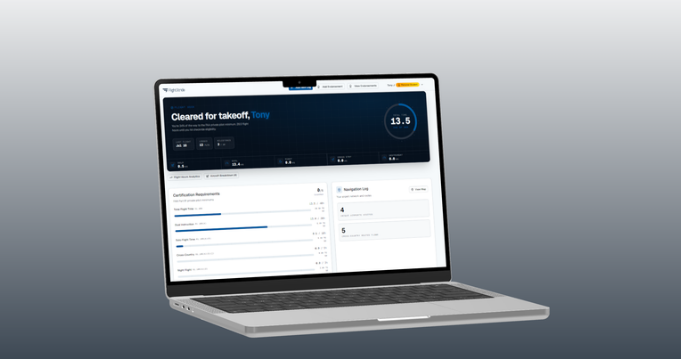
FlightStride combines your logbook, progress tracking, endorsements and FAA written test practice in one account. Linking with your CFI lets them see your training record and assign practice tests that appear on your dashboard. If you want the private pilot specific view, see our private pilot training tracker page.
Put this into practice with FlightStride
Log flights, see your progress toward the private pilot certificate, and keep your instructor in the loop. Free to start, no credit card required.
Frequently asked questions
What is a flight training tracker?
A flight training tracker is a tool that records your lessons and flight time, shows progress toward certificate requirements and keeps endorsements and study progress in one place.
How do I keep track of my flight training progress?
Log every lesson, review your totals regularly, track your endorsements and milestones, and review your progress with your instructor. An app like FlightStride automates the totals.
Can I track flight training for ratings after my private license?
FlightStride is focused on private pilot training today. Logging flights and keeping endorsements is useful at any stage, and you should always confirm requirements for other ratings in the regulations.
Is the flight training tracker free?
Yes, you can start tracking your training with a free FlightStride account.