


What the FAA expects you to log
14 CFR 61.51 covers pilot logbooks and says you must document the training and aeronautical experience used to meet the requirements for a certificate, rating or flight review. It does not require one particular format.
- Date of the flight
- Aircraft type and registration
- Departure, arrival and route when relevant
- Type of flight time, such as dual, solo, cross-country, night or instrument
- Takeoffs and landings, and any special conditions
- Instructor endorsements and remarks
Paper logbook vs digital pilot logbook
Many pilots keep both. If you do, make sure the entries match, and ask your instructor and examiner what they prefer before the checkride.
| Paper logbook | Digital pilot logbook | |
|---|---|---|
| Totals | Added by hand across pages | Calculated automatically |
| Searching past flights | Flip through pages | Filter and search instantly |
| Sharing with your CFI | Bring the book | Instructor can review remotely |
| Backup | One copy unless you photograph pages | Stored online |
| Format | Fixed columns | Depends on the app |
What to look for in an online pilot logbook
- Automatic totals by category, including dual, solo, night and cross-country
- Fields for aircraft, route, landings and remarks
- A place for endorsements
- Easy entry on a phone right after a lesson
- A way for your instructor to see and contribute to your record
Using FlightStride as your pilot logbook
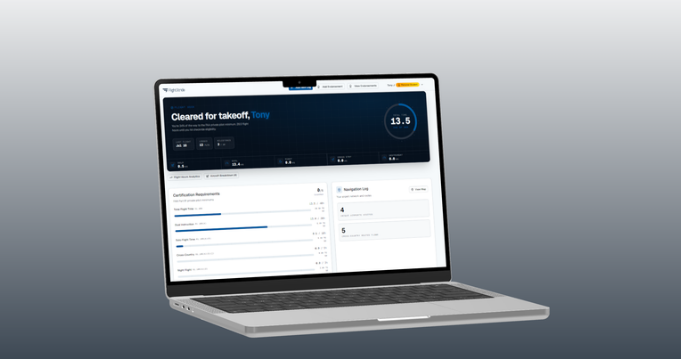
FlightStride lets you add a flight log for each lesson and keeps your totals current on your dashboard. Instructor endorsements are stored with your record, and you can link with your CFI so they can follow your progress. Signing up is free.
Put this into practice with FlightStride
Log flights, see your progress toward the private pilot certificate, and keep your instructor in the loop. Free to start, no credit card required.
Frequently asked questions
Is a digital pilot logbook legal?
The FAA does not mandate a specific logbook format, and electronic logbooks are widely used. Check with your instructor and designated pilot examiner so you know they will accept yours for training and the practical test.
What should I log as a student pilot?
Log the date, aircraft, route, total time, dual and solo time, cross-country and night time, instrument time, landings and your instructor's remarks and endorsements.
Can I log flights on my phone?
Yes. FlightStride works on mobile browsers, so you can add a flight log right after you shut down.
Is there a free pilot logbook app?
Yes. You can create a free FlightStride account and begin logging flights without a credit card.